






































Despite advances in business technology, many organizations still rely on manual processes for managing customer data, approvals, reporting, and communication. These repetitive tasks reduce productivity, increase operational costs, and often result in inconsistent customer experiences. As businesses grow, manual workflows become even harder to manage, making automation a priority rather than an option.
Recent industry research highlights the growing need for workflow automation. According to Salesforce’s State of Sales Report (2024), sales representatives spend only 28% of their time actively selling, while the remaining time goes toward administrative work, data entry, and internal processes. A McKinsey Global Institute study estimates that nearly 60% of occupations have at least 30% of activities that can be automated using existing technologies. Additionally, IDC reports that organizations adopting intelligent workflow automation experience faster business processes and improved employee productivity across departments.
Salesforce addresses these challenges by combining customer relationship management (CRM), workflow automation, artificial intelligence, and system integration within a single platform. However, achieving meaningful business outcomes depends on implementing the platform correctly. This is where Salesforce Consulting Services help organizations design automation strategies that align with operational goals instead of simply digitizing existing manual processes.
Why Manual Workflows Slow Business Growth
Manual workflows often evolve over time as organizations expand. What begins as a simple spreadsheet or email approval process eventually becomes a collection of disconnected tasks spread across multiple systems.
These processes create several operational challenges:
- Employees spend valuable time entering the same information into different systems.
- Approval cycles become slower because they depend on email communication.
- Reporting accuracy decreases due to inconsistent data.
- Customer requests experience unnecessary delays.
- Managers struggle to obtain real-time business visibility.
While each issue may seem manageable individually, together they reduce organizational efficiency and increase operational costs.
How Salesforce Replaces Manual Processes
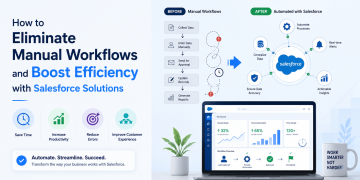
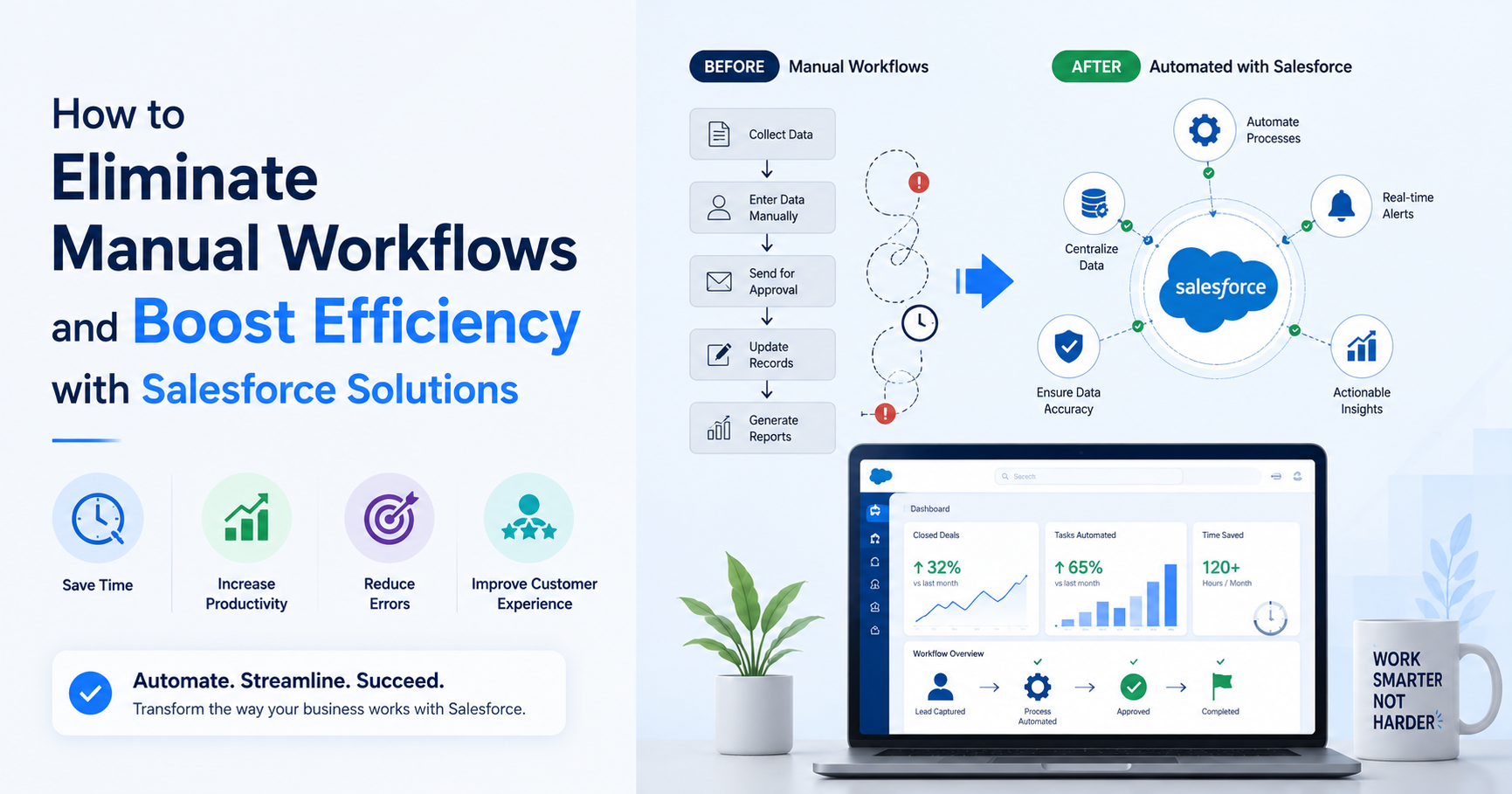
Salesforce provides a centralized platform where customer information, business processes, and departmental collaboration operate within the same ecosystem. Instead of relying on spreadsheets or disconnected applications, organizations can automate repetitive tasks using built-in workflow capabilities.
For example, when a new lead enters the CRM, Salesforce can automatically assign it to the appropriate sales representative, notify the manager, create follow-up tasks, and schedule reminder emails. Employees no longer need to manually update records or coordinate through multiple communication channels.
This approach reduces administrative effort while improving consistency across sales, service, and marketing teams.
Key Salesforce Features That Improve Workflow Efficiency
Workflow Automation
Salesforce Flow enables organizations to automate repetitive business processes without relying heavily on custom code. Businesses can configure approval workflows, notifications, record updates, and task assignments based on predefined business rules.
Instead of waiting for manual intervention, processes continue automatically according to the organization’s operational requirements.
Centralized Customer Data
One of the most common reasons for inefficient workflows is fragmented customer information. Different departments often maintain separate records, leading to duplicate work and conflicting information.
Salesforce creates a unified customer view by consolidating interactions, sales activities, service requests, and communication history into a single platform. Teams work with consistent information, reducing errors and improving collaboration.
Intelligent Task Management
Routine activities such as follow-up reminders, lead qualification, quote generation, and case routing can be automated within Salesforce.
Employees spend less time on administrative work and more time handling activities that require business judgment or customer interaction.
Integration Across Business Systems
Many organizations use ERP platforms, accounting software, marketing tools, and communication applications alongside Salesforce.
Through APIs and integration frameworks, Salesforce connects these systems, allowing data to move automatically without manual exports or repeated data entry.
Departments That Benefit from Salesforce Automation
Although Salesforce is widely recognized as a CRM platform, its automation capabilities extend across multiple business functions.
Sales Teams
Sales representatives often lose productive hours updating CRM records, preparing reports, and scheduling follow-ups.
Automation helps by:
- Assigning leads automatically
- Creating follow-up reminders
- Updating opportunity stages
- Generating sales reports
This allows representatives to focus more on customer engagement.
Customer Service
Support teams benefit from automatic case routing, SLA monitoring, escalation management, and customer notifications.
Service agents receive complete customer histories, enabling faster issue resolution.
Marketing Operations
Marketing departments use Salesforce automation for campaign execution, lead nurturing, customer segmentation, and performance tracking.
Instead of manually managing campaign workflows, marketers can focus on improving engagement strategies.
Enterprise Case Example
A global manufacturing company operating across multiple regions experienced significant delays in processing sales inquiries. Sales representatives manually transferred lead information from website forms into spreadsheets before assigning opportunities to regional teams. This process often delayed responses by more than 24 hours and created duplicate customer records.
The organization implemented Salesforce with automated lead capture, routing rules, approval workflows, and CRM integration. Website inquiries now entered Salesforce instantly, where predefined business rules assigned leads based on geography, product category, and sales territory.
Within six months, the company reduced average lead response time by nearly 70%. Sales managers also gained real-time visibility into pipeline performance, enabling faster decision-making and more accurate forecasting. The automation initiative improved operational efficiency while allowing sales teams to focus on customer conversations instead of administrative tasks.
Why Salesforce Consulting Services Matter
Implementing Salesforce is not simply a software deployment project. Every organization has unique business processes, approval structures, compliance requirements, and integration needs.
Experienced Salesforce Consulting Services help organizations evaluate existing workflows, identify automation opportunities, and configure Salesforce according to operational objectives.
Consultants typically assist with:
- Workflow assessment
- CRM customization
- Business process automation
- Third-party system integration
- User adoption planning
- Governance and security configuration
This structured approach reduces implementation risks and ensures that automation delivers measurable business improvements.
Common Mistakes Organizations Should Avoid
Many automation initiatives fail because businesses attempt to automate inefficient processes instead of redesigning them.
Common implementation mistakes include:
- Automating outdated workflows without process optimization.
- Creating excessive customizations that complicate future upgrades.
- Ignoring user training and change management.
- Failing to establish data governance policies.
- Integrating systems without standardized data structures.
Successful Salesforce projects begin with process analysis before automation begins.
Measuring ROI from Salesforce Automation
Workflow automation delivers measurable operational improvements when implemented strategically.
Organizations commonly experience:
- Reduced administrative workload across sales and service teams.
- Faster lead response and approval cycles.
- Improved reporting accuracy through centralized data.
- Lower operational costs due to fewer manual processes.
- Increased employee productivity by reducing repetitive tasks.
Beyond cost savings, automation improves customer satisfaction through faster responses and more consistent service delivery.
Best Practices for Successful Workflow Automation
Organizations planning Salesforce automation should focus on long-term process improvement rather than short-term task automation.
Recommended practices include:
- Document existing workflows before implementation.
- Prioritize high-volume repetitive processes.
- Standardize business rules across departments.
- Monitor workflow performance regularly.
- Continuously refine automation based on operational data.
- Provide ongoing user training after deployment.
These practices help organizations maximize the long-term value of Salesforce investments.
Final Thoughts
Manual workflows create operational bottlenecks that become increasingly difficult to manage as organizations grow. Delayed approvals, repetitive data entry, disconnected systems, and inconsistent reporting all reduce business efficiency and affect customer experience.
Salesforce provides the tools needed to replace these manual processes with intelligent automation, centralized data management, and connected business operations. However, technology alone cannot solve workflow challenges. Organizations achieve the greatest value when automation reflects well-designed business processes supported by experienced Salesforce Consulting Services.
By combining workflow analysis, process optimization, and Salesforce capabilities, businesses can reduce administrative effort, improve collaboration, and build a scalable operational framework that supports long-term growth.

Casey Morgan is a Digital Marketing Manager with over 10 years of experience in developing and executing effective marketing strategies, managing online campaigns, and driving brand growth. she has successfully led marketing teams, implemented innovative digital solutions, and enhanced customer engagement across various platforms.