














































Modern businesses require integrated systems to manage operations efficiently across departments. However, using separate tools for accounting, HR, inventory, and sales often creates data silos, delays decision-making, and increases operational complexity.
To solve this challenge, many companies adopt modular ERP platforms like Odoo. A phased Odoo ERP Implementation allows businesses to deploy essential modules gradually, improving scalability, operational visibility, and process automation. This article explores the ten core Odoo modules that help build a streamlined enterprise ecosystem.
Essential Odoo Modules for Enterprise Operations
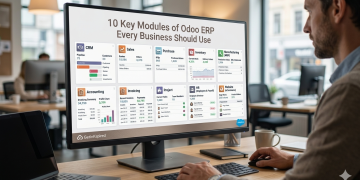
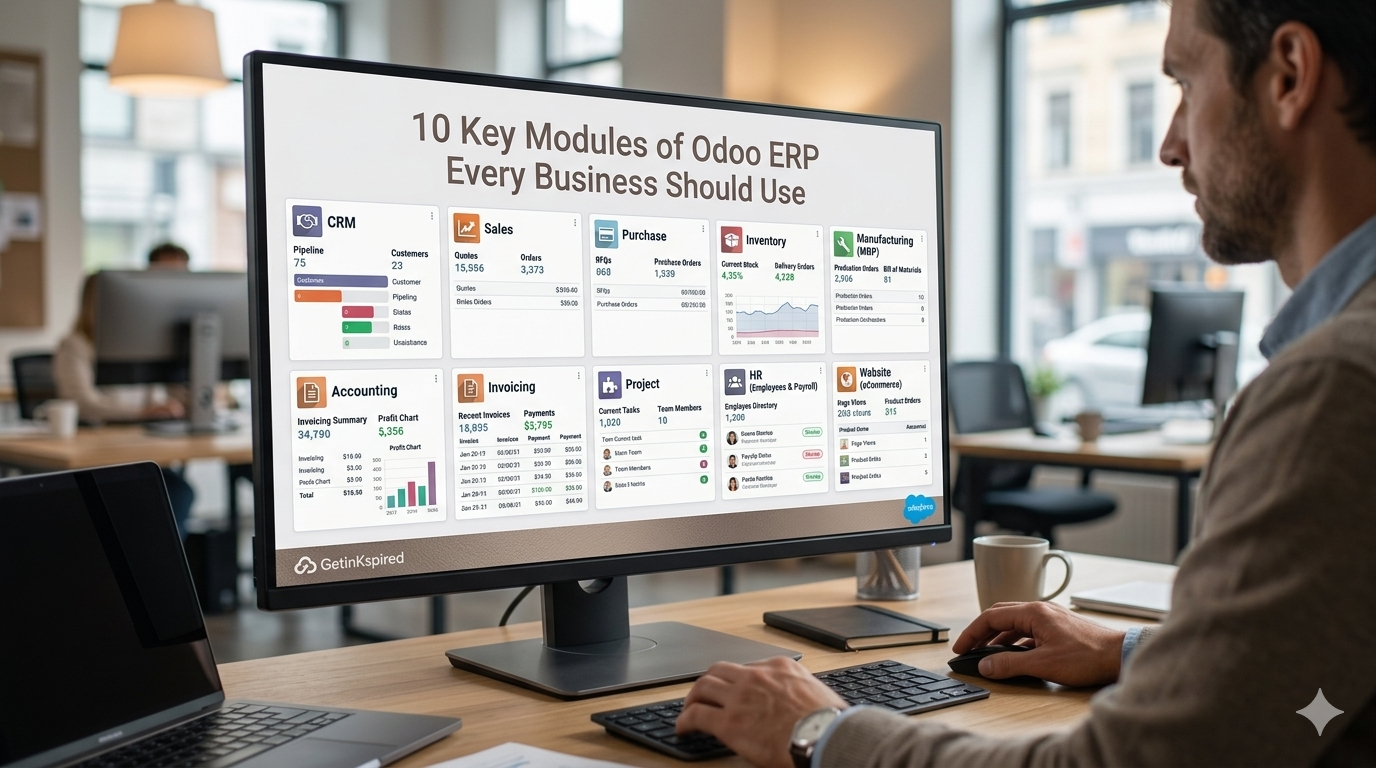
To achieve complete operational visibility, businesses should deploy these ten core Odoo applications sequentially to connect their front-office commerce activities with back-office financial ledgers.
1. CRM (Customer Relationship Management)
The CRM module acts as the central hub for managing leads, customer interactions, and sales opportunities. It helps businesses organize customer data, automate follow-ups, and improve conversion rates through a structured sales pipeline.
- Lead Scoring: Automatically prioritizes leads based on engagement, location, and customer behavior.
- Pipeline Automation: Triggers notifications, tasks, and workflow actions as deals progress through stages.
2. Sales Management
The Sales module streamlines quotation generation, pricing management, and order processing. It helps businesses close deals faster while maintaining pricing accuracy and approval workflows.
- Dynamic Pricing: Applies discounts, tax rules, and customer-specific pricing automatically.
- Digital Signatures: Allows customers to approve quotations online through secure e-signatures.
3. Inventory Management
The Inventory module provides real-time stock visibility across warehouses and distribution centers. It improves inventory accuracy while supporting advanced logistics operations.
- Double-Entry Tracking: Records stock movement between locations for precise inventory control.
- Advanced Routing: Supports dropshipping, cross-docking, and automated warehouse workflows.
4. Accounting and Financial Management
The Accounting module manages financial transactions, invoicing, tax reporting, and compliance within a centralized system. It integrates directly with sales, inventory, and purchasing modules.
- Bank Synchronization: Imports and reconciles bank transactions automatically using secure APIs.
- Compliance Features: Supports multi-currency accounting, tax reporting, and audit-ready financial records.
5. Purchase Management
The Purchase module automates procurement processes and vendor communication to maintain optimal stock levels and reduce manual purchasing tasks.
- Automated Procurement: Creates RFQs automatically when inventory falls below minimum levels.
- Vendor Performance Tracking: Monitors supplier pricing, delivery speed, and product quality metrics.
6. Manufacturing (MRP)
The Manufacturing module connects production planning with inventory and operational workflows. It helps manufacturers optimize material usage, machine scheduling, and factory output.
- Bills of Materials (BOM): Calculates raw materials and production requirements automatically.
- Production Scheduling: Tracks machine availability, labor shifts, and maintenance schedules in real time.
7. Human Resources (HR)
The HR module centralizes employee management, attendance tracking, and approval workflows within a secure environment.
- Employee Records: Stores contracts, skills, contact details, and organizational information securely.
- Approval Workflows: Automates leave requests, expense approvals, and internal HR processes.
8. Project Management
The Project Management module helps teams organize tasks, track deadlines, and manage collaboration efficiently across departments.
- Project Visualization: Uses Kanban boards, Gantt charts, and calendars for workflow tracking.
- Integrated Timesheets: Links billable hours directly to projects and customer invoices.
9. E-Commerce
The E-Commerce module allows businesses to manage online storefronts directly from the ERP system. It synchronizes sales, inventory, and customer data automatically.
- Real-Time Inventory Sync: Updates stock availability instantly after every online purchase.
- Customer Portals: Enables buyers to track orders, download invoices, and manage returns online.
10. Studio (Customization Layer)
The Studio module provides low-code customization tools that allow businesses to adapt Odoo applications without complex programming.
- Custom Field Creation: Adds forms, tabs, and data fields through drag-and-drop functionality.
- Workflow Automation: Builds automated reminders, approval flows, and custom business logic easily.
Architectural Comparison of Key Modules
Deploying these applications requires a clear understanding of how data flows across your infrastructure. The table below illustrates how different operational modules interact with your centralized database.
| Odoo Module | Primary Database Object | Main Integration Dependencies | Core Business Value |
| CRM | crm.lead | Sales, Marketing | Capitalizes on incoming market demand signals. |
| Sales | sale.order | CRM, Inventory, Accounting | Speeds up transaction processing timelines. |
| Inventory | stock.picking | Sales, Purchase, Manufacturing | Eliminates stock tracking errors across warehouses. |
| Accounting | account.move | Sales, Purchase, Expenses | Secures complete visibility over cash flow metrics. |
Steps for a Smooth Integration Deployment
Transitioning from disjointed legacy systems to a unified ERP platform requires strict project management discipline. Organizations must follow a structured implementation roadmap to avoid operational downtime.
Phase 1: Comprehensive Gap Analysis
Before installing any software code, business analysts must document every operational workflow across your departments. Compare these corporate workflows against standard Odoo features to identify where you need custom development.
Phase 2: Systematic Data Cleansing
Do not migrate messy, obsolete data records into a brand-new ERP database. Clean your customer address books, standardize product SKU formats, and reconcile past accounting balances before launching your data migration scripts.
Phase 3: Rigorous Sandbox Testing
Run your new software configurations inside an isolated sandbox testing environment first. Have key users from every department execute simulated business cycles, process test payments, and verify reporting accuracy before pushing code to live production servers.
Future Technological Horizon of ERP Ecosystems
Enterprise resource software continues to advance rapidly alongside cloud computing and artificial intelligence breakthroughs.
- Predictive AI Forecasting: AI-powered ERP systems will analyze historical data, market trends, and external factors to predict inventory demand and automate planning.
- IoT-Driven Automation: Smart machines and connected devices will send real-time data to ERP systems, enabling instant issue detection, automated scheduling, and predictive maintenance.
- Cloud-Native ERP Systems: Future ERP platforms will become more cloud-based, offering better scalability, remote accessibility, faster updates, and improved cross-department collaboration.
Conclusion
Relying on isolated, fragmented software applications prevents corporations from scaling efficiently. Unifying your core business units under a single database structure is an essential step for any modern, data-driven enterprise. Case studies report that Odoo‑based ERP implementations can reduce manual data entry by 30-50% and improve inventory accuracy by 15-30% in well‑configured environments.
By executing a structured Odoo ERP Implementation, companies reduce manual tasks, minimize data entry errors, and improve operational efficiency. Selecting the right mix of core applications helps businesses build a flexible technology foundation for long-term growth.

Casey Morgan is a Digital Marketing Manager with over 10 years of experience in developing and executing effective marketing strategies, managing online campaigns, and driving brand growth. she has successfully led marketing teams, implemented innovative digital solutions, and enhanced customer engagement across various platforms.