









































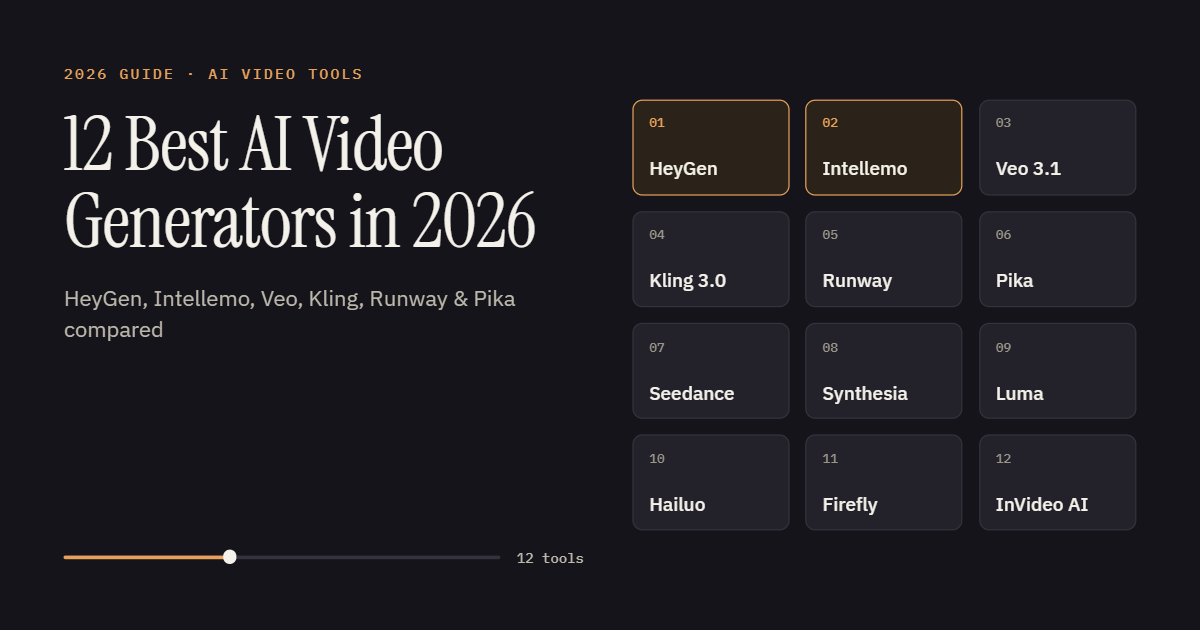
Here’s the short answer. HeyGen is the best AI video generator for talking-presenter videos, and Intellemo is the strongest pick when you need a complete, brand-ready business video instead of a pile of clips. Google Veo 3.1 makes the most realistic individual shots, and Kling 3.0 is the best value for short multi-shot scenes. Everything else depends on what you’re actually making.
Most people learn that the hard way. You sign up for three free tiers on a Tuesday afternoon. By Wednesday you have eight seconds of a drone shot over a lake, an avatar that mispronounces your company name, and a very cool clip of a cat made of smoke. None of it is an ad you can run.
That happens because AI video tools do different jobs, and most roundups rank them as if they don’t. This guide compares 12 of them by the job each one does best, with real limits and pricing checked in September 2026.
Why Sora isn’t on this list
OpenAI’s Sora sat near the top of almost every list like this one last year. It’s gone now. OpenAI closed the Sora app and website on April 26, 2026, and shut down the API on September 24, 2026 (OpenAI Help Center).
There’s a practical lesson in that. AI video generation moves fast, and models get retired with a few months’ notice. If your whole content process depends on one model, a single shutdown email can stall your next campaign.
The three jobs an AI video generator can do
Every tool on this list does one of three jobs. It generates a short shot, it puts a presenter on screen, or it produces a finished video. Work out which job you need done before you compare features, because the best tool for one job is often the wrong tool for another.
Generating the shot. Clip generators like Veo, Kling, Runway, Seedance, Luma, Hailuo and Adobe Firefly turn a text or image prompt into a clip, usually 5 to 15 seconds long. The best of them look like real footage. But a clip isn’t a video. You still write the script, stitch shots together, fix continuity between them and add music.
Putting a person on screen. Presenter platforms like HeyGen and Synthesia turn a script into a video of an avatar speaking to camera. They’re built for training, sales outreach and explainers, and they can’t produce a cinematic scene.
Delivering the finished video. Finished-video platforms like Intellemo and InVideo AI, along with Pika’s newer studio, take an idea through script, scenes and voice to a video you can publish. You give up some shot-by-shot control in exchange.
Weak question: “Which AI video tool is best?” Strong question: “Do I need a shot, a presenter or a finished video?”
Plenty of teams end up with tools from two jobs. A common pairing is HeyGen for the talking segments and Veo or Kling for the B-roll around them.
AI video generators compared at a glance
Use this table to shortlist two or three tools, then read their sections for pricing and limits.
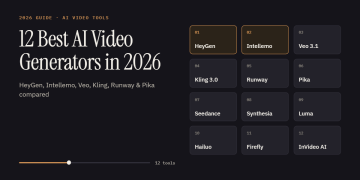
| Tool | Job | Best for | Length per generation | Native audio | Free option |
| HeyGen | Presenter | Avatar explainers, sales videos, translation | Up to 30 min on Creator/Pro | Yes (voice + lip sync) | 3 videos/month |
| Intellemo AI | Finished video | Brand videos, ads, explainers | Full video (120 sec per plan) | Yes (voice, AI music, lip sync) | Not listed |
| Google Veo 3.1 | Clip | Realistic shots, ad concepts, B-roll | 8 sec, extendable | Yes | Trial credits in some surfaces |
| Kling 3.0 | Clip | Multi-shot short scenes | 3–15 sec | Yes | Daily credits |
| Runway | Clip + editing | Cinematic shots, editing real footage | 2–10 sec (Gen-4.5) | Separate audio tools | 125 one-time credits |
| Pika | Clip + studio | Effects-driven social shorts | Up to 10 sec (30 sec in Video Studio) | Soundtrack tool | 480p, watermarked |
| Seedance 2.5 | Clip | Long scenes, ecommerce ads | Up to 180 sec | Yes | Limited credits |
| Synthesia | Presenter | Corporate training, internal comms | Plan-based minutes | Yes (voice + lip sync) | 10 min/month |
| Luma Ray3.2 | Clip | HDR, VFX, precise motion | 5–20 sec | No | Limited |
| Hailuo H3 | Clip | Reference-heavy scenes, video editing | 5–15 sec (to ~30) | Yes | Check app |
| Adobe Firefly | Clip | Commercially safe B-roll | Short clips | Sound design built in | Limited credits |
| InVideo AI | Finished video | Script-to-video from stock + AI | Full video | Yes (voiceover) | Limited |
1. HeyGen: best for presenter and avatar videos
HeyGen is the AI video maker to pick when you need a person talking on screen and don’t want to film one. You paste a script, choose a stock avatar or a digital twin of yourself, and HeyGen renders a lip-synced video in minutes. Its Avatar IV and newer Avatar V models are the reason most people pay.
Key features
- Avatar IV and Avatar V, photorealistic models that react to the meaning of the script instead of just moving the mouth.
- Custom avatars built from a short video clip or a single headshot.
- Video translation with re-matched lip sync, and voices in 175+ languages on paid plans.
- Video Agent, which turns a prompt into a first draft of a full video.
- 4K export on Pro and higher plans.
Best use cases
Personalized sales videos, onboarding and product walkthroughs, leadership updates and training modules all fit. Localization is where it earns its money. A SaaS team can record one founder update in English and publish Spanish, German and Hindi versions the same afternoon, with no reshoot.
Strengths
Lip sync is HeyGen’s biggest advantage. In a same-script test from July 2026, Venture Harbour called HeyGen’s Avatar IV the clear lip-sync winner in the category (via Creatify). The editor is also simple enough for people who have never cut a video.
Limitations
The price on the pricing page isn’t what heavy users end up paying. Avatar IV and V minutes come out of a monthly credit pool, and teams that rely on them often buy top-ups. HeyGen’s per-minute credit rates also shifted during 2026, so check the current rate before you budget.
It also isn’t a cinematic tool. HeyGen won’t generate a product sliding across a kitchen counter or a slow pan over a beach at sunset. For that, you’ll need a clip generator.
Pricing
The free plan includes up to 3 videos a month with no card required. Creator costs 29/month(24/month billed annually), Pro starts at $49/month, and Business is $149/month plus $20 per seat (HeyGen pricing).
Who it’s for
Marketers, sales teams, L&D teams and creators who publish talking-head content every week. If most of your videos boil down to “a person explains something,” HeyGen will save you the most time.
2. Intellemo: best for complete, brand-ready business videos
Most tools on this list hand you clips. Intellemo hands you a finished video. You start with an idea, a product message, an image or your website URL, and it produces a complete cinematic AI video with script, scenes, voice, music and lip sync, ready to preview, edit and download.
Key features
- Website URL-to-video, where Intellemo reads your site, picks up brand details like the logo, and uses them to write the script.
- A structured script split into scenes and shots, with dialogue, camera direction, sound cues and timing. You approve it before anything visual is generated.
- Smart @ references, so a saved character, product or location (say, @Doctor or @ProductDashboard) stays the same in every scene.
- A Voiceboard for checking narration pace, tone and pronunciation before the visuals are made.
- Storyboard scene refinement. Change one scene’s lighting, outfit or camera angle, and only that scene regenerates.
- AI music, background sound and lip sync added inside the same workflow, plus variants with different hooks, voices or CTAs for ad testing.
- Portrait 9:16 and landscape 16:9 formats.
Best use cases
Product launches and demos, social ads, SaaS explainers, healthcare awareness videos, real estate walkthroughs, founder messages and training content. Picture a home-care provider that describes a nurse in navy scrubs checking an elderly woman’s blood pressure in a warm living room, then adds its logo. It gets back a narrated video with soft music and a closing brand message, and it reviewed the script, voice and storyboard along the way.
Strengths
The approval gates are the main advantage. Script, voice and storyboard each get checked before the next, more expensive stage runs, so a wrong line of dialogue is caught before it becomes a lip-synced clip. Scene-level fixes mean one bad frame doesn’t send you back to the start.
Budgeting is also simpler. Pricing is based on seconds of finished output, and failed generations aren’t charged.
Limitations
A guided workflow is slower than typing a prompt and getting a clip back in two minutes. If you want to fire 50 prompts at a model just to explore ideas, a clip generator suits that better. You also don’t choose the underlying AI model yourself. Intellemo picks models automatically for each stage, which is convenient but gives power users less control. Lip sync isn’t included on the entry Story plan.
Pricing
Story costs ₹2,299, Studio ₹3,689 and Cinematic ₹4,598, each for 120 seconds of video, GST inclusive. Lip sync starts on Studio, 4K export needs Cinematic, and Enterprise pricing is custom.
Who it’s for
D2C and ecommerce brands, growth marketers and agencies producing client work. It also suits SaaS, healthcare, finance, travel and real estate businesses that need finished videos every month without a production team.
3. Google Veo 3.1: best for cinematic realism
Veo 3.1 is Google DeepMind’s video model, and it’s the one most 2026 reviewers point to for footage that could pass as real. Zapier’s testers called it the best all-rounder on the market (Zapier). The detail that sets it apart is sound. Veo generates dialogue, effects and ambient audio in the same pass as the picture, so a pan on a stove actually sizzles.
Key features
- 8-second clips at 720p, 1080p or 4K, with audio included (Gemini API docs).
- Native 9:16 vertical output for Shorts and Reels.
- Ingredients to Video, which uses up to three reference images to keep a character, product or style consistent.
- Frames to Video, where you set the first and last frame and Veo fills in the motion.
- Scene extension for building longer sequences.
- Access through Flow (Google’s filmmaking tool), the Gemini app, YouTube Shorts, Google Vids, the Gemini API and Vertex AI.
Best use cases
Product hero shots, lifestyle B-roll, pitch-stage ad concepts and short social clips with spoken lines. Say you run a skincare brand. You can upload a product photo as an ingredient and ask for a vertical shot of the bottle on a bathroom shelf, morning light, tap running in the background. What comes back usually looks like it was filmed.
Strengths
Realism and audio. Few text-to-video models handle skin, light and physical motion as well, and native sound removes a whole post-production step. Teams already on Google Workspace or Vertex AI also get Veo inside tools they use every day.
Limitations
Eight seconds is short. Scene extension helps, but longer chains drop to 720p. Google spreads Veo across several products with different pricing and limits, which confuses new users. In the EU and UK, some features, including generating images of people, may be restricted (innFactory).
The bigger point is that Veo gives you shots. The script, the edit and the final assembly are still your job.
Pricing
On the Gemini API and Vertex AI, Veo 3.1 bills per second of output with audio included. Standard mode ran from about $0.20 to $0.60 per second in early 2026, depending on resolution and audio (Build Fast with AI), and cheaper Fast and Lite variants exist. Everyday users get access through Google’s AI subscription plans in Flow and the Gemini app.
One to watch: at Google I/O in May 2026, Google introduced Gemini Omni Flash, a separate model that combines text, image, audio and video. There’s still no official Veo 4.
Who it’s for
Creative teams, agencies and developers who want the best-looking shots available and are comfortable assembling them in an editor afterward.
The other 9 AI video tools worth knowing
These tools get shorter write-ups, but several of them beat the top three for specific jobs.
4. Kling 3.0
Kuaishou released Kling 3.0 on February 5, 2026, and it moved Kling from single impressive shots to planned short scenes. One generation can hold up to six camera cuts with the same character or product across them. Clips run 3 to 15 seconds, native audio includes lip sync, and it renders on-screen text better than most rivals (AdCreate).
The catch is cost. Native audio, 4K and motion control all burn credits quickly, and a clip that takes five attempts costs five times the listed rate.
Pick it if you make short narrative ads or social stories and want multi-shot structure without cutting every shot by hand.
5. Runway (Gen-4.5 and Aleph 2.0)
Runway has been in generative video since 2018 and still feels the most like a creative suite. Gen-4.5 is the flagship model for cinematic 2–10 second clips. Aleph 2.0 edits footage you already have, so you can swap an outfit, relight a room or change the weather with a text instruction. Runway also runs third-party models like Veo 3.1 inside the same workspace.
Credits go fast. The $15/month Standard plan’s 625 credits cover about 52 seconds of Gen-4.5 a month (AI Weekly). The free plan gives 125 one-time credits.
Pick it if you’re a filmmaker or creative team that wants generation and editing in one place.
6. Pika
Pika made its name with playful effects. Pikaffects melts, squishes or explodes objects, Pikaswaps replaces them, and Pikaformance lip-syncs a still face to an audio file. The Pika 2.5 model makes clips up to 10 seconds. In 2026, Pika rebuilt itself as a wider creative platform, with a Video Studio for multi-shot videos up to 30 seconds, a soundtrack tool and other leading models running underneath (Pika).
It’s cheap, with Basic at $8/month on annual billing, but it isn’t the tool for realistic brand films. The free tier caps Pika 2.5 at 480p with a watermark.
Pick it if you make scroll-stopping shorts for TikTok or Reels and care more about fun than photorealism.
7. Seedance 2.5 (ByteDance)
Seedance is ByteDance’s video model, available through Dreamina and inside CapCut. Seedance 2.0 earned a strong reputation for prompt adherence and motion physics. The newer Seedance 2.5 accepts up to 50 reference inputs and generates scenes up to 180 seconds long, and ByteDance pitches it at ecommerce and ad work (Dreamina).
There are guardrails to know about. The CapCut rollout blocked generating real faces from uploaded images and adds an invisible watermark. Clip length and resolution also depend on your Dreamina plan.
Pick it if you produce product and social ads in volume, especially if your team already edits in CapCut.
8. Synthesia
Synthesia is HeyGen’s closest rival and the more enterprise-minded of the two. Express-2 avatars add full-body movement and hand gestures, voices cover 160+ languages, and dubbing works in 30+ languages with lip sync. For large companies, the admin layer matters more: SCORM export for learning systems, SSO, brand kits and interactive quizzes.
In head-to-head reviews, HeyGen usually edges it on lip sync. Venture Harbour summed it up by saying Synthesia’s avatars present while HeyGen’s perform. There’s a free plan with about 10 minutes of watermarked video a month. Paid tiers vary by region and billing, so check Synthesia’s pricing page.
Pick it if you run training, compliance or internal communications for a large organization.
9. Luma (Ray3.2)
Luma’s browser app, which used to be called Dream Machine, runs on the Ray3 model family. Ray3.2, released June 9, 2026, lets you place up to 16 keyframes inside one clip to choreograph motion precisely. Luma’s HDR pipeline exports 16-bit EXR files that colorists can grade properly, and Draft Mode lets you test ideas cheaply before paying for a full render.
The gap is audio. Ray3 doesn’t generate sound (Luma), so you’ll score and sound-design separately. Plans run $30 (Plus), $90 (Pro) and $300 (Ultra) a month.
Pick it if you work on VFX, music videos or post-production where color and motion control matter more than sound.
10. Hailuo H3 (MiniMax)
MiniMax launched H3, also called Hailuo 3.0, on July 31, 2026. It renders native 2K video at 24fps with dialogue, effects and ambience in one pass, in 5–15 second clips that can extend to about 30 seconds. Its standout is omni-reference, which accepts up to nine images, three video clips and three audio clips to lock in a character, a motion style or a voice (OrcaRouter). It can also edit an existing clip from a text instruction.
It’s new, so independent quality testing is still thin.
Pick it if you need tight control over character and voice consistency, or you’re a developer who wants API access at a fair per-second rate.
11. Adobe Firefly Video
Adobe’s pitch is legal peace of mind. The Firefly Video model is trained on content Adobe has permission to use, and Adobe markets it as commercially safe. It generates clips from text or images, includes camera controls and built-in sound design, and connects to Premiere Pro. The Firefly app also offers partner models, including Luma’s Ray3 (Adobe).
Two caveats. The commercial-safety promise covers Adobe’s own model, and partner models come with their own usage terms. Also, if raw realism is your priority, Veo and Kling are stronger.
Pick it if your team already lives in Adobe apps, or your legal team wants clear answers about training data before anything goes live.
12. InVideo AI
InVideo AI is built for getting from script to published video quickly. Give it a topic, a blog post or a brief, and it writes the script, pulls stock footage, adds an AI voiceover and edits the result. When stock doesn’t fit, it can call premium generation models, including Veo 3.1, inside the same workflow (PixVerse).
Because it leans on stock, results can look generic unless you swap in generated shots or your own footage.
Pick it if you turn blog posts or YouTube scripts into videos every week and speed matters more than originality.
How to choose the right AI video tool for your business
Start with the job and compare quality last. Once you know whether you need a shot, a presenter or a finished video, you’re choosing among three or four tools instead of twelve, and the right one is usually obvious.
Here’s a quick way to match the need to the tool:
- Someone talking to camera → HeyGen, or Synthesia for enterprise training.
- Realistic shots or B-roll → Veo 3.1 first. Kling 3.0 or Seedance if you need multi-shot scenes or high volume.
- Editing footage you already shot → Runway’s Aleph 2.0.
- Finished, branded videos without hiring an editor → Intellemo or InVideo AI.
- Assets your legal team will sign off on → Adobe Firefly.
- Fun, effects-heavy social shorts → Pika.
Count the retries, not the list price
This is the part most comparisons skip. On credit-based tools, you pay for every attempt, including the ones you throw away. If a 10-second clip takes four tries to get right, your real cost is four times the rate on the pricing page.
Vendors handle this in different ways. Luma and Runway offer cheaper draft models for testing. Intellemo charges for final output and doesn’t bill failed generations. Most others charge per attempt.
Before you commit to an annual plan, run one real brief through your shortlisted tools five times each. Count how many results you’d actually publish. That number tells you more than any pricing page will.
Frequently asked questions
What is the best AI video generator in 2026?
It depends on the job. Google Veo 3.1 leads for realistic, cinematic AI video with native sound. HeyGen leads for avatar and presenter videos, and Intellemo for complete business videos built from an idea or a website URL. Kling 3.0 is the best value for multi-shot short clips.
Which AI video generator is free?
Most have limited free tiers. HeyGen gives 3 videos a month, Synthesia about 10 watermarked minutes, Runway 125 one-time credits, and Pika a 480p watermarked tier. They’re good for testing and rarely good enough to publish from.
Can AI video tools make full-length business videos, or only clips?
Most clip generators stop at 5–15 seconds per generation. HeyGen and Synthesia handle longer talking-presenter videos. Intellemo and InVideo AI assemble complete videos with a script, voice and music, so you skip the stitching.
Is AI-generated video safe for commercial use?
Usually on paid plans, but terms vary by tool and by model. Adobe markets Firefly’s own model as commercially safe. Read each license, never use a real person’s likeness without consent, and label AI content where platforms require it.
What happened to OpenAI’s Sora?
OpenAI discontinued it. The Sora app and website closed on April 26, 2026, and the API shut down on September 24, 2026. Users were told to export their videos before those dates.
Where this is heading
A year ago, Sora topped most of these lists. Today it doesn’t exist, and Kling, Seedance and Hailuo have all shipped major versions since January. By this time next year, several models here will carry new version numbers, and at least one will probably be gone.
So pick the tool that fits the job you do every week, and test it on a real brief instead of a demo prompt. Keep your scripts, brand assets and reference images somewhere you own, because those move with you to whatever tool comes next. The model underneath will keep changing, and the system you build around it shouldn’t have to.